JENNIFER APM
See performance
in the transaction.
From a request in progress to the detail behind its response time.
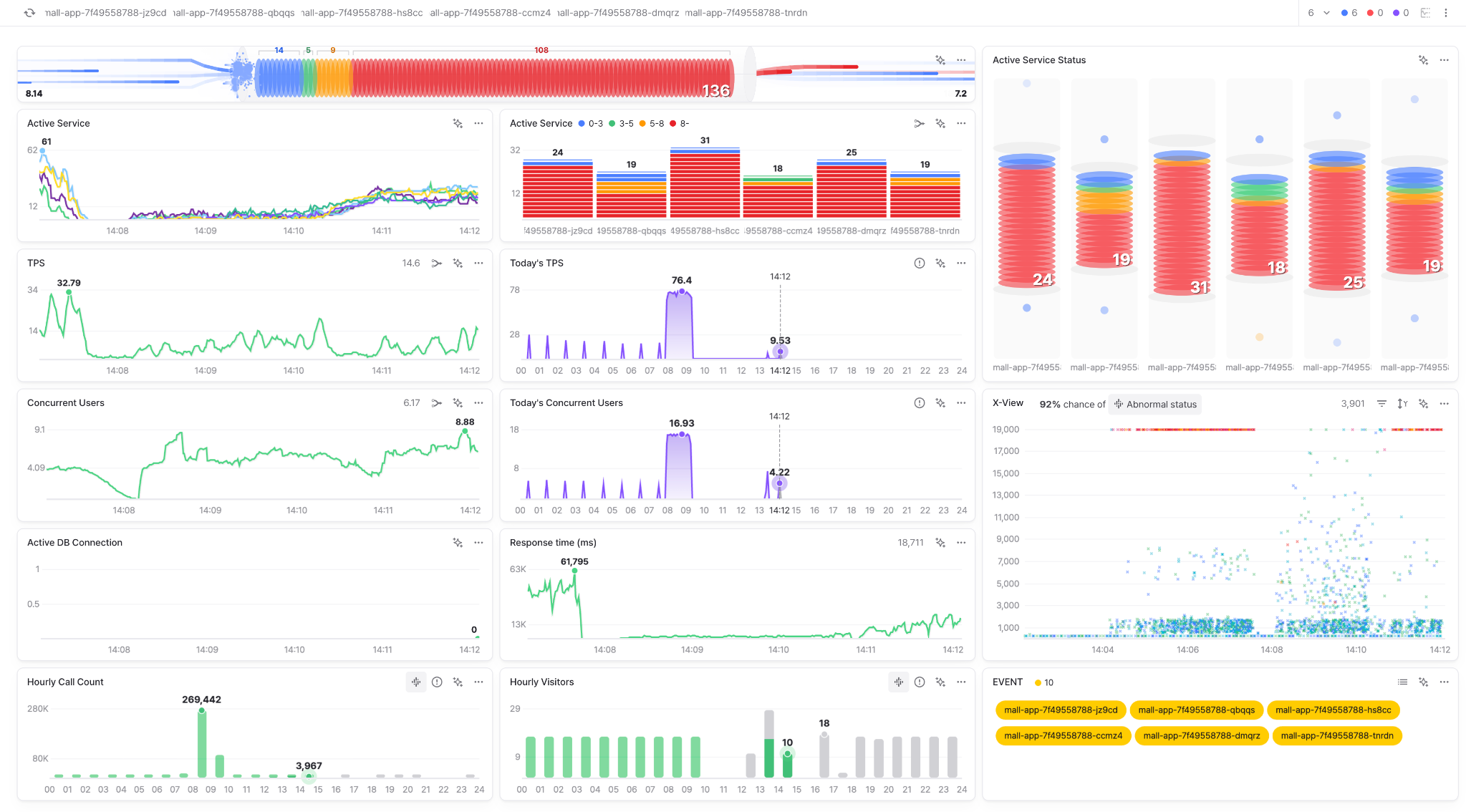
Active Service
See requests
while users wait.
See which requests are still running and how long they have been active. Inspect a long-running request while it is happening.
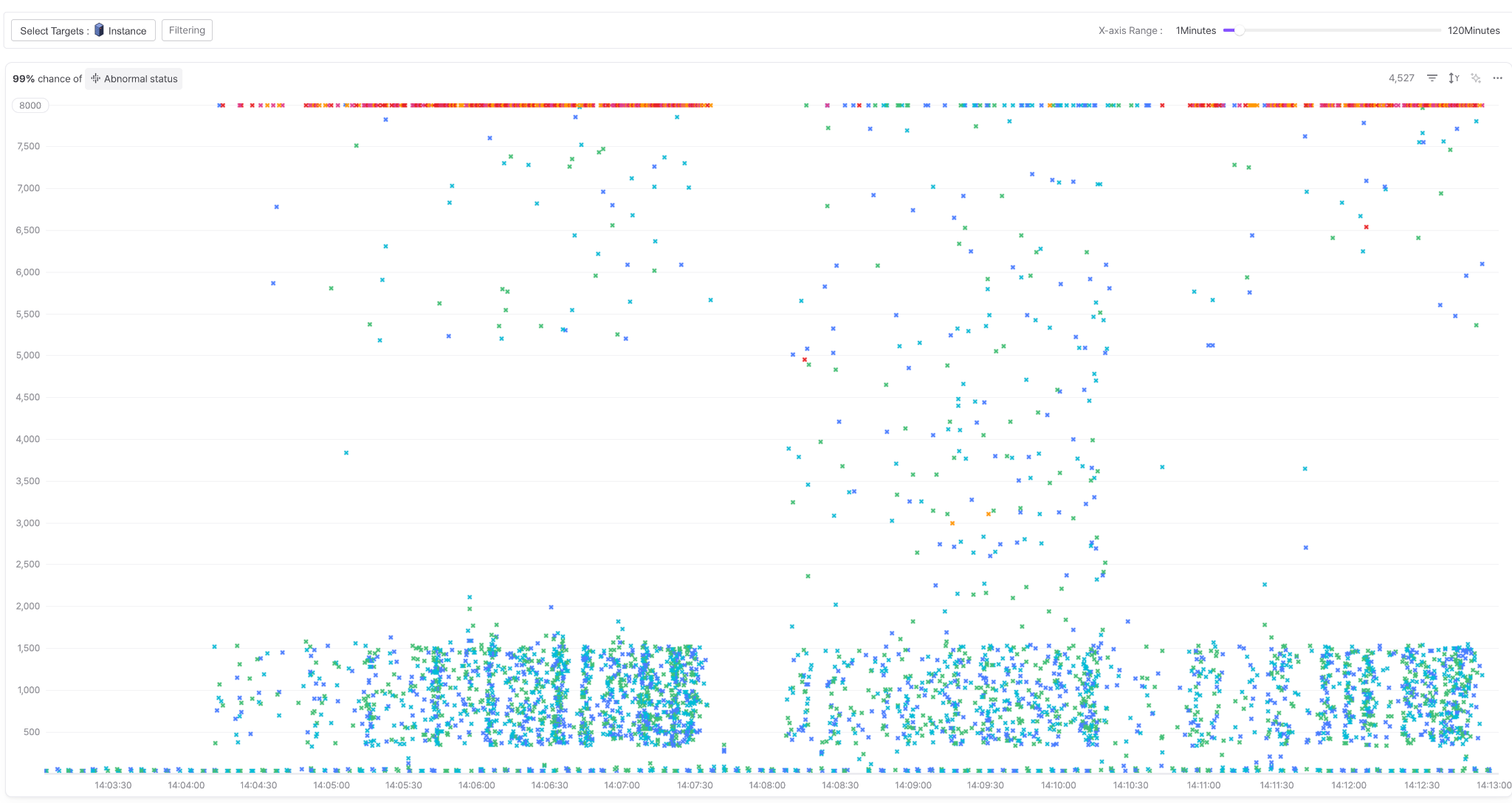
X-View
Find a slow request.
Inspect its work.
Each completed transaction appears in a response-time distribution. Select a request to inspect methods, SQL, external calls and errors.
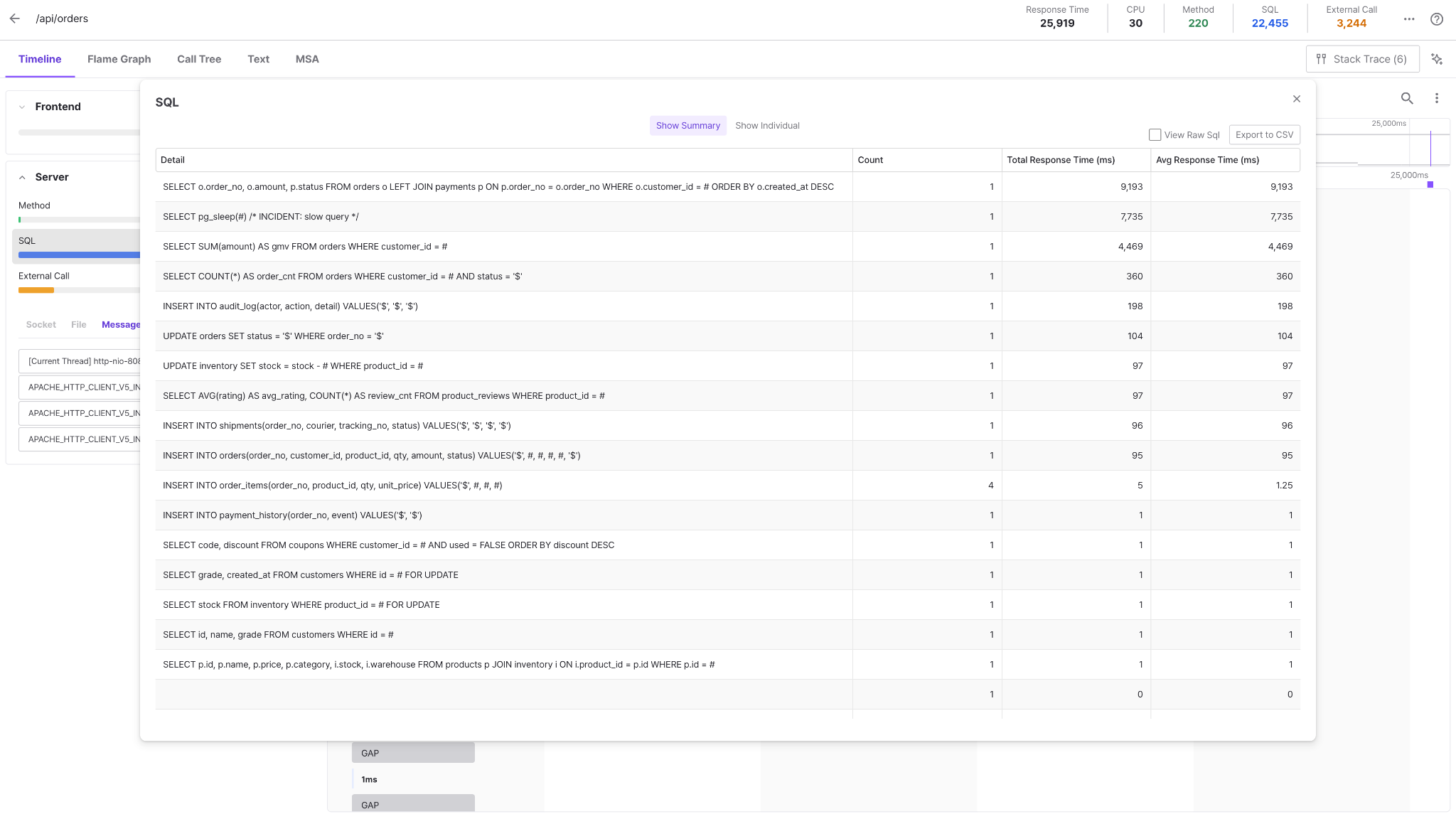
Move into the transaction detail.
Inspect where the selected request spent its time. This /api/orders capture is a separate example from the X-View recording.
MSA & Kubernetes
The request path.
The environment around it.
Investigate service calls and explore the Kubernetes resources where applications run.
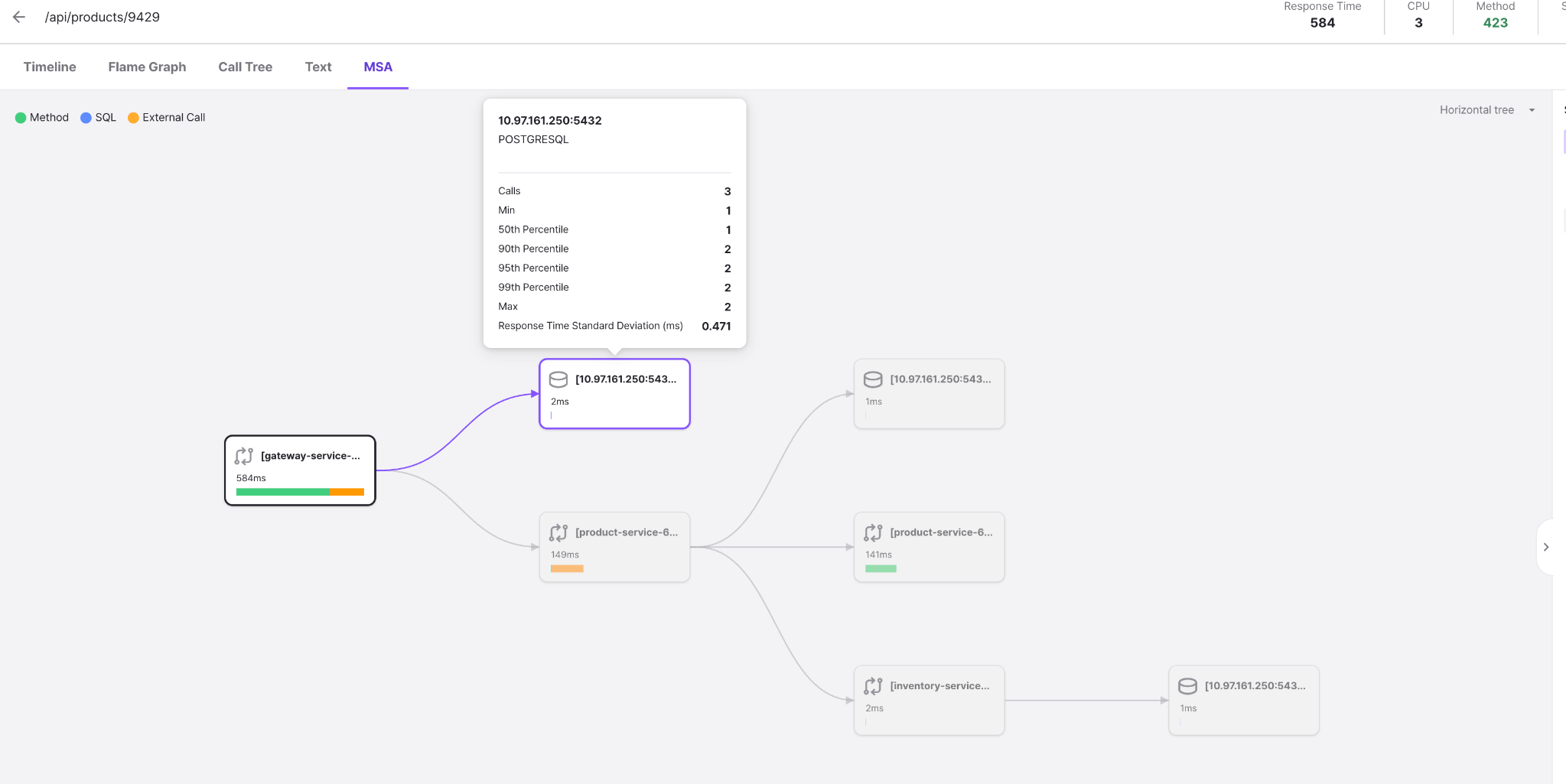
Follow a request across services.
Inspect a service chain, its SQL and external calls.
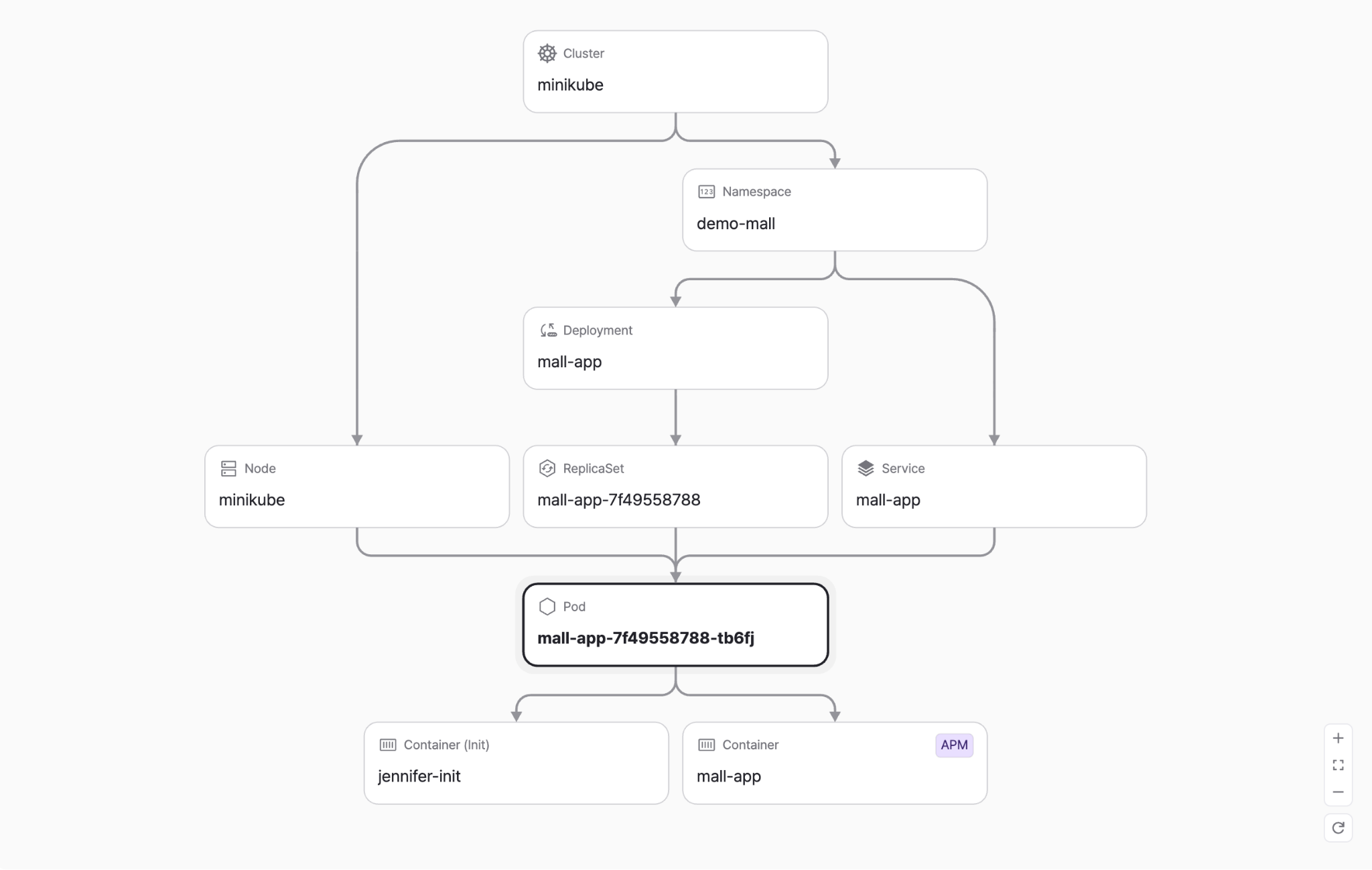
See where services run.
Explore Service, Deployment, Pod, Container and APM relationships.
These are separate product examples. They do not demonstrate automatic linking of one request across both screens.
JENNIFER AI
Ask with the
performance data in view.
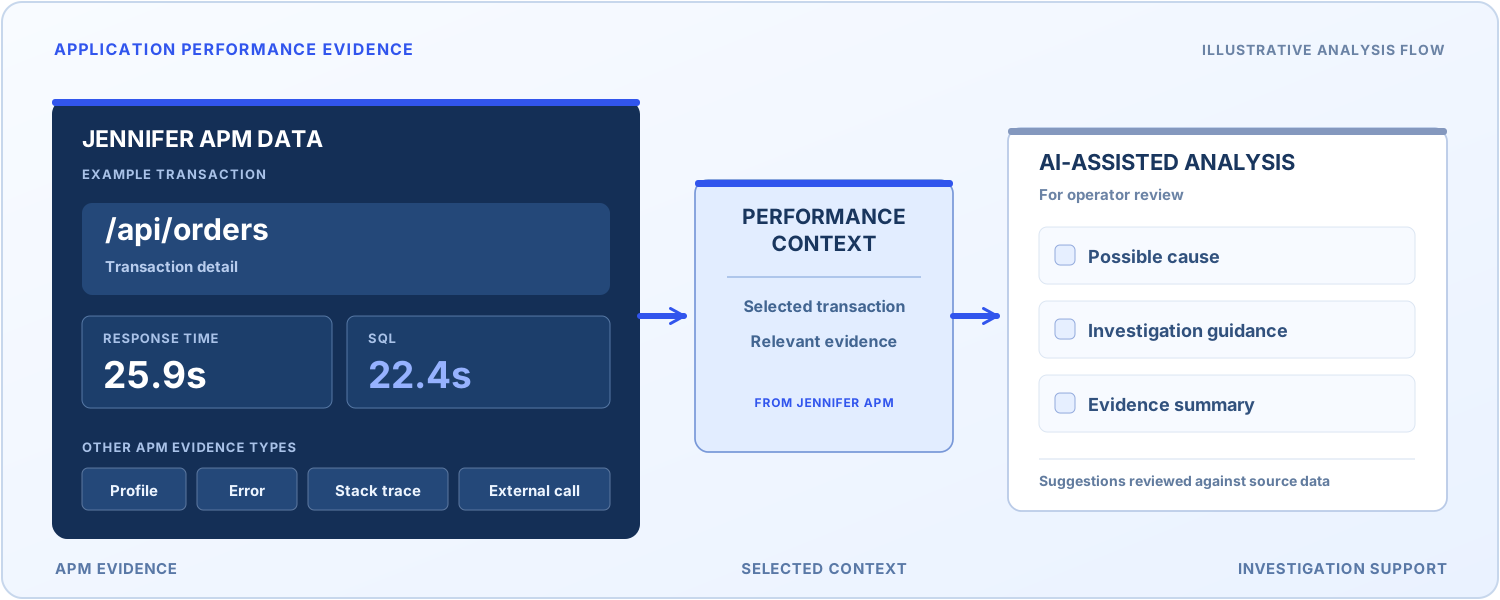
Use selected transaction details, SQL, external calls and errors as context for an investigation. Review suggestions against the original APM records.
Available LLM connections depend on deployment setup and product version.
Across your
application runtimes.
Compatibility depends on the runtime, agent and server versions. Confirm the combination for your environment.
See JENNIFER with your
application in mind.
Tell us what you operate and what you need to understand.